
The Infinix Hot 9 Play charging flex fits model numbers X680 / X680B / X680C. It carries the Micro-USB, the headphone jack and the microphone. Board code: R-54 / 19876A.
- Infinix Hot 9 Play X680
- Infinix Hot 9 Play X680B
- Infinix Hot 9 Play X680C
📱 Need the screen or battery for this phone too? Open LCD Compatible Tool (free on Google Play) and see every compatible model in seconds.
The Infinix Hot 9 Play (X680) is known for its big 6000 mAh battery, which means a lot of charging cycles and a lot of worn charging ports. The charging flex carries the Micro-USB port, the 3.5 mm headphone jack and the microphone.
Infinix Hot 9 Play charging flex: real photos
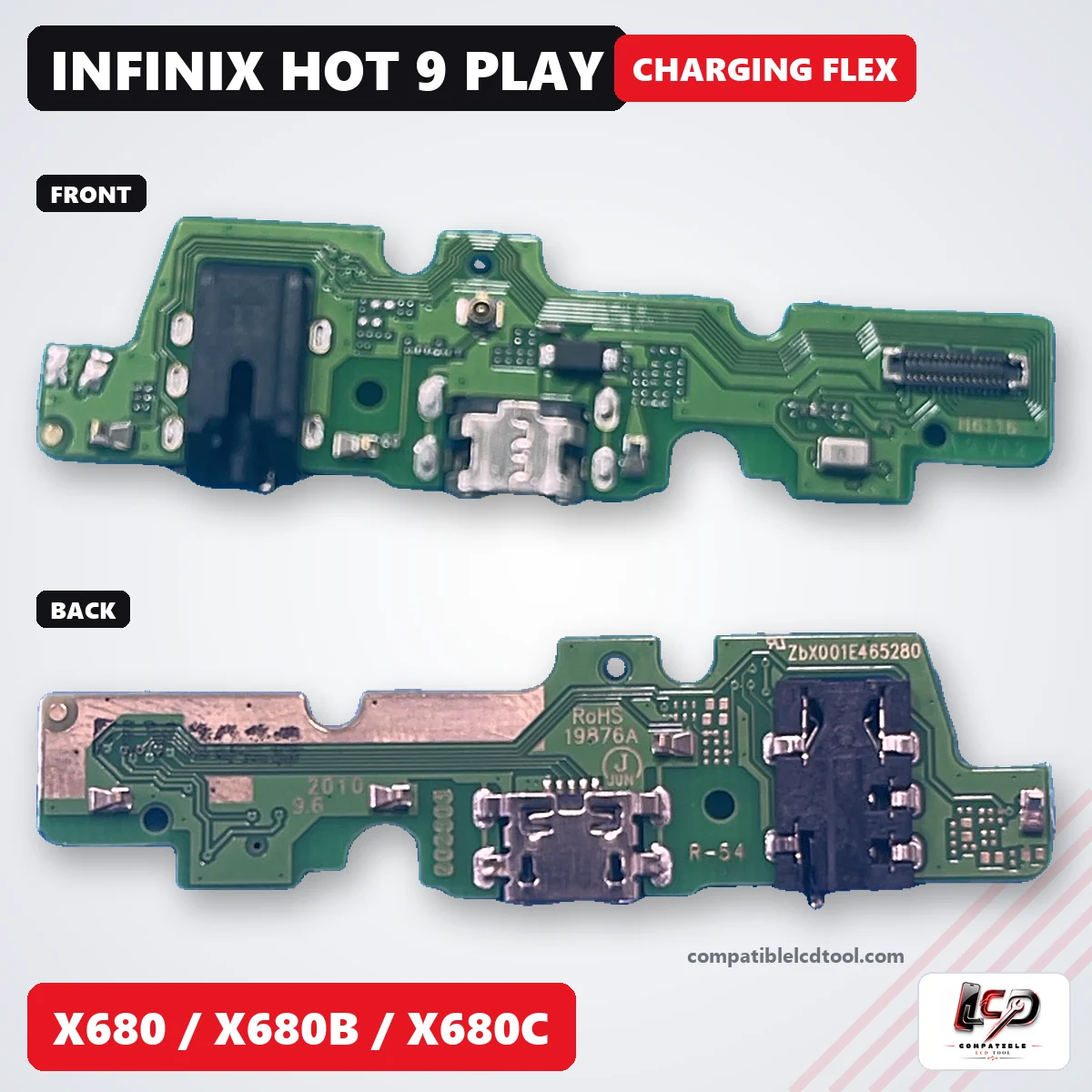
Infinix Hot 9 Play charging flex (sub board)
- Model numbers
- X680 / X680B / X680C
- Charging port
- Micro-USB
- Headphone jack
- 3.5 mm, on the board
- Microphone
- Main microphone, on the board
- PCB code
- R-54 / 19876A
- X680
- X680B
- X680C
How to identify the Infinix Hot 9 Play charging board
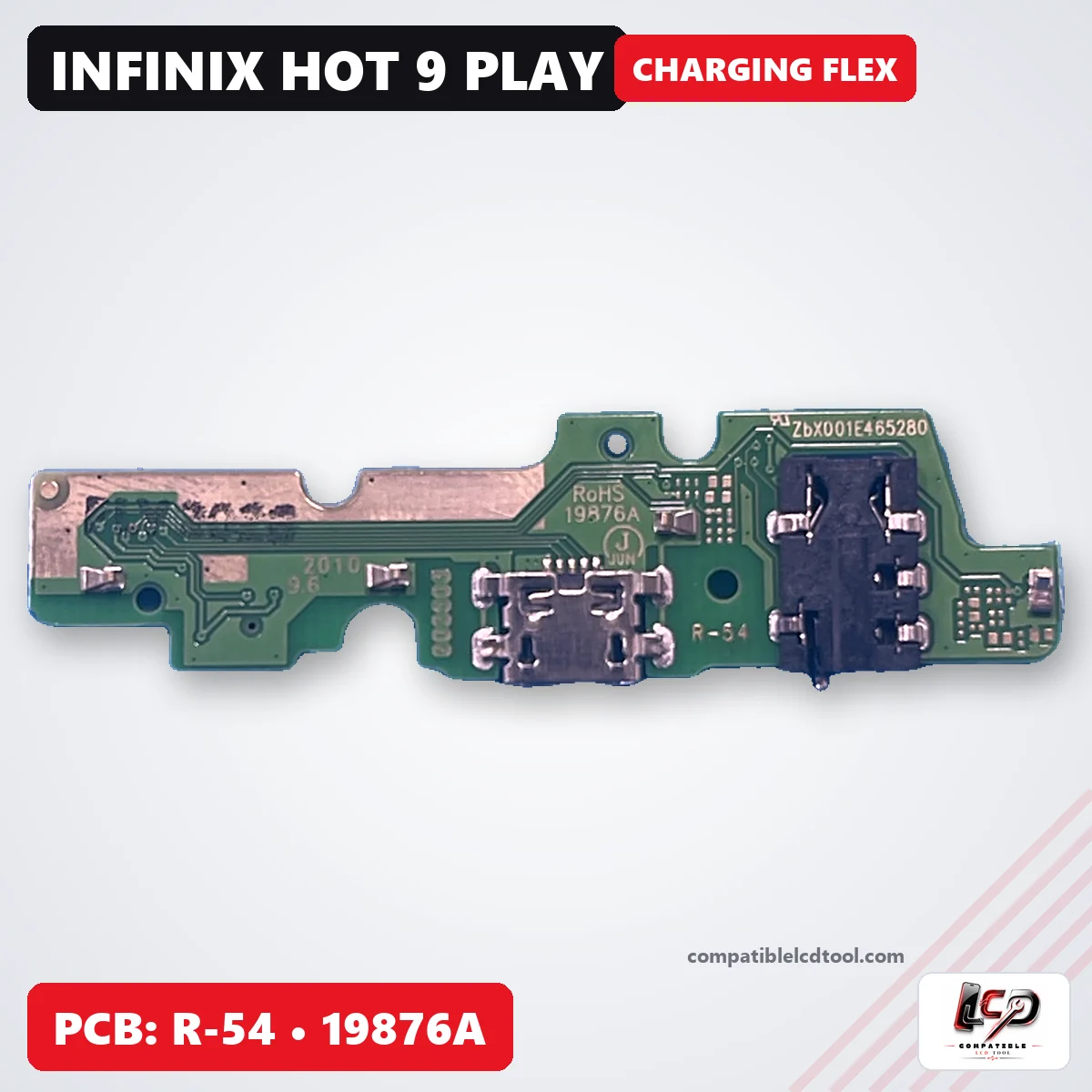
Look for the code R-54 / 19876A, printed on the back of the board near the charging port. This code, the shape of the board and the position of the port and the headphone jack are the fastest way to match a replacement with the original part.
When to replace the charging flex
- The phone does not charge, or charges only when the cable is held at an angle.
- Charging is very slow even with the original charger.
- The phone is not detected by a computer.
- The other person cannot hear you on calls (main microphone).
- Headphones are not detected or sound cuts out.
Check any model in seconds
LCD Compatible Tool shows compatible LCD and battery groups for thousands of Infinix, Tecno, Samsung, OPPO, Realme, Xiaomi and Vivo models in one free Android app.
Frequently asked questions
What does the Infinix Hot 9 Play charging flex do?
It carries the Micro-USB, the 3.5 mm headphone jack and the main microphone, and connects to the motherboard through the main flex. Replacing it fixes most charging, USB and call microphone problems.
Is the Hot 9 Play charging board the same for X680B and X680C?
The X680, X680B and X680C are variants of the same Hot 9 Play family and the charging board is sold for all three. Always compare the R-54 code and the board shape with the original before fitting.
How do I know if the charging flex is the problem?
Test with another cable and charger first. If the phone still charges slowly, only at an angle, is not detected by a PC, or the other person cannot hear you on calls, replace the charging flex.